Thumbnail & Loading
This guide explains what EVOVA's 'Dynamic Loading' feature is, why it's used, and how it works in different situations.
If you want to improve page loading speed or create specific user experiences, please follow the steps below.
Access Path:
EVOVA Admin > [3D Showroom] > Select Product > Click [Style] on the left
Dynamic Loading Feature Description
How to Use Viewer Settings
1. Click Style Settings
- Select a product on the admin page and proceed with style settings
Click [Style] button > Click [Preset Detailed Settings] > Click [Thumbnail & Loading Settings]
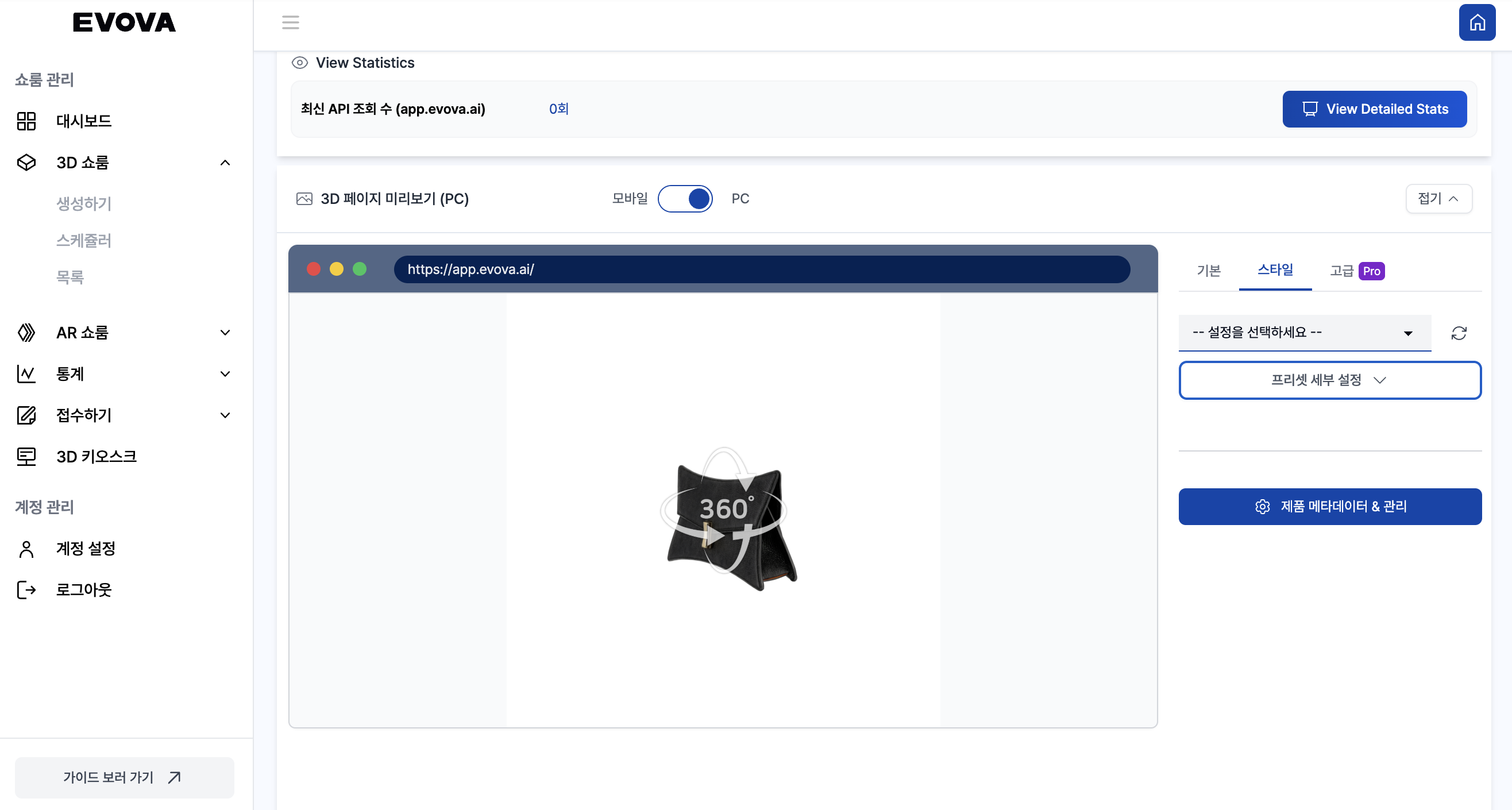 Image 1. Style Settings Tab
- In the Style Detailed Settings tab, click
[Thumbnail & Loading Settings]below.
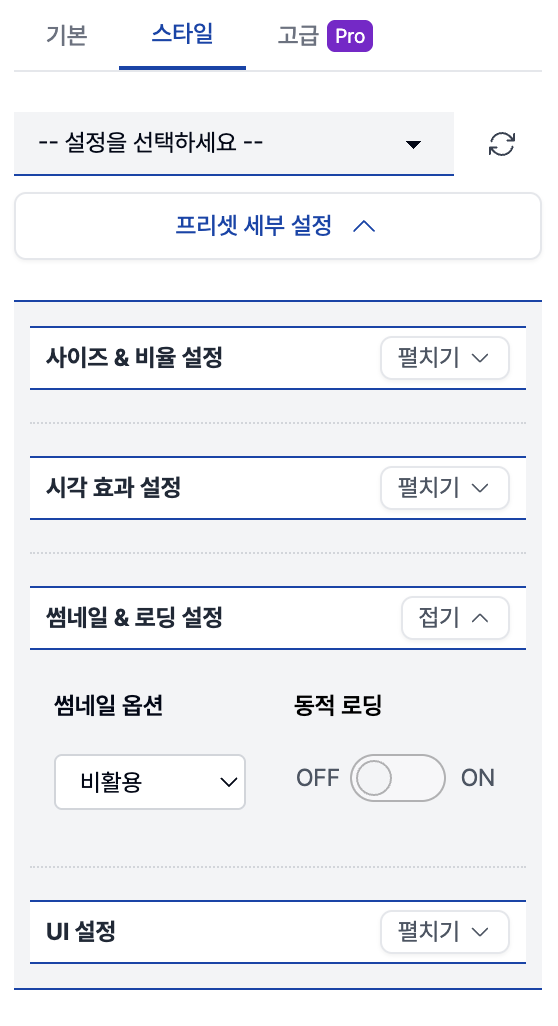 Image 2. Preset Detailed Settings Tab
2-1. Dynamic Loading - Dynamic Loading OFF - Close Button OFF
Click [Thumbnail & Loading Settings] > Dynamic Loading ON/OFF setting- When Dynamic Loading is OFF, the showroom is already running behind the thumbnail
- Close button is also OFF, providing a clean exposure without buttons
Video 1. Dynamic Loading off
2-2. Dynamic Loading - Dynamic Loading ON - Close Button ON
Click [Thumbnail & Loading Settings] > Dynamic Loading ON/OFF setting- When Dynamic Loading is ON, the showroom loads simultaneously with the click, enabling immediate execution without delay
- Close button is also ON, switching to the thumbnail screen immediately when clicked
Video 2. Dynamic Loading on
3-1. Thumbnail Option - Not Used
Click [Thumbnail & Loading Settings] > Thumbnail Option- When not using thumbnails, the showroom is exposed immediately, so the dynamic loading feature cannot be used.
- The close button is also disabled as it's a thumbnail-based transition feature
Video 3. Thumbnail Option Not Used
3-2. Thumbnail Option - Used
Click [Thumbnail & Loading Settings] > Thumbnail Option- Even when using thumbnails, if it's in popup format, the dynamic loading option is not provided separately as loading starts with the click by default.
- The close button is also automatically included in popups and provided as default setting.
Video 4. Thumbnail Option Used
Contact
If you have any questions, feel free to contact our support team.
Contact Email: info@metown.co.kr
Contact Phone: 010-6650-6300