Product Size
This guide explains the feature that intuitively displays actual size information of your product.
If you want to provide size and ratio information for your products, please follow the steps below.
Access Path:
EVOVA Admin > [3D Showroom] > Select Product > Click [Advanced] on the left
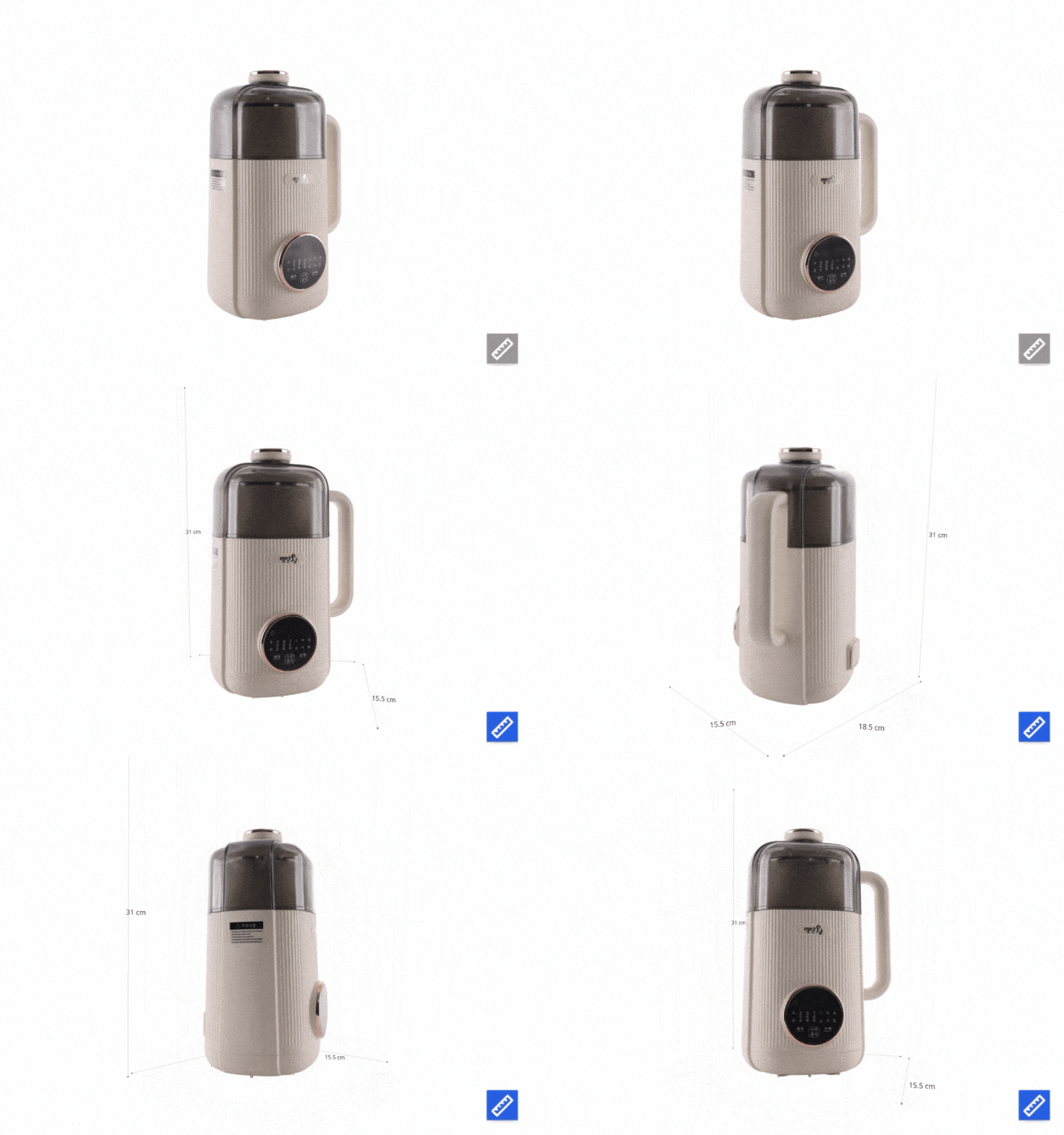 Image 1. Dimension Measurement Feature Example
Procedure
1. Access EVOVA Site and Click [Advanced]
- Go to https://app.evova.ai/ and click on the 3D Showroom list.
- If you don't have an account yet, please sign up and log in.
EVOVA Admin > [3D Showroom] > List > Select Product > Click [Advanced] on the left
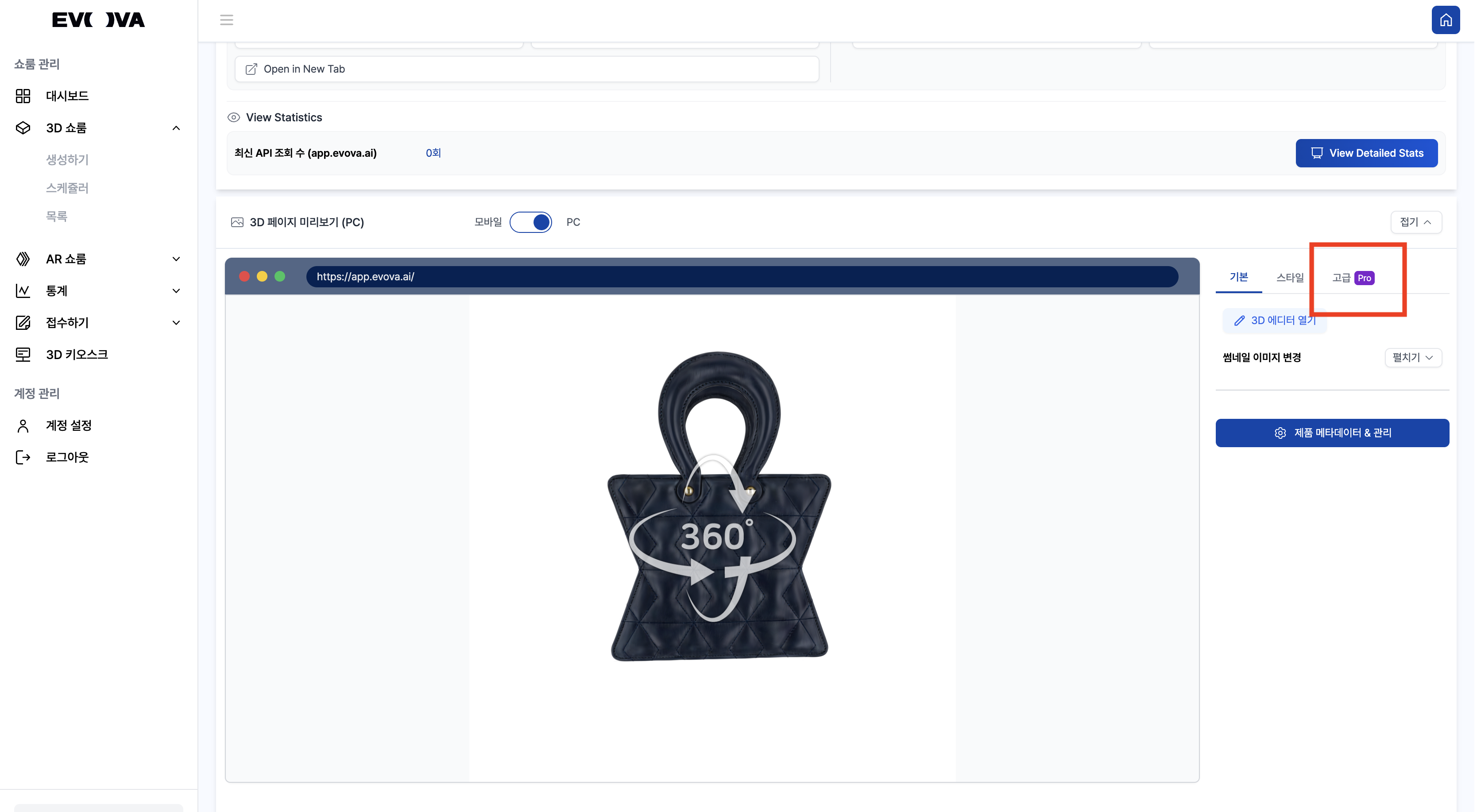 Image 2. Advanced Features
2. Enable Dimension Measurement
- Click
ONfor Dimension Measurement in Advanced settings
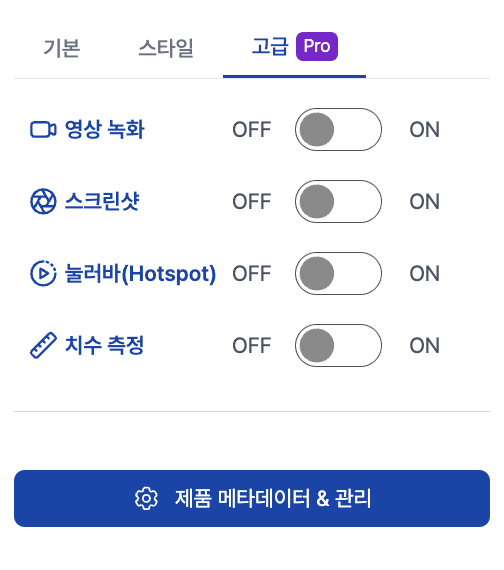 Image 3. Advanced Features - Dimension Measurement
3. Enter Actual Product Size
- Enter the actual dimensions of the product and click the
Update Product Dimensionsbutton. - Example: Width: 14cm, Height: 22cm, Length: 22.5cm
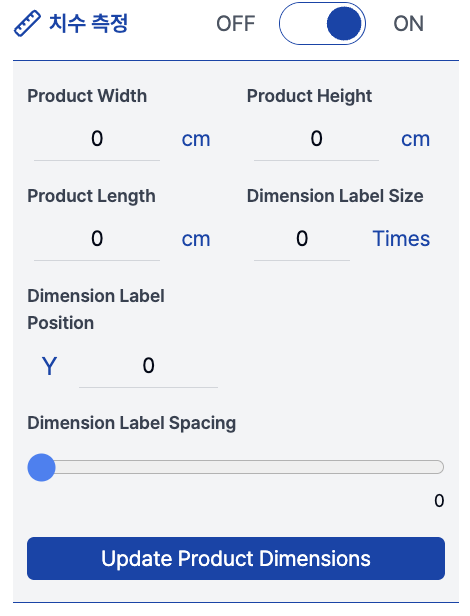 Image 4. Dimension Input
3-1. Product Width / Height / Length
- Fields to enter the actual width, height, and depth (cm) of the product
- The entered values are displayed as labels on the 3D viewer
3-2. Dimension Label Size
- Scale value to adjust the size of dimension labels
- Unit is Times (multiplier), e.g.,
1 = default size,2 = 2x enlarged - Recommended initial value:
1(displays with balanced proportions relative to the product)
3-3. Dimension Label Position – Y
- Function to adjust the vertical position (Y-axis) of dimension labels
- Higher values move the label upward from the product, lower values position it below
3-4. Dimension Label Spacing
- Slider to adjust spacing between dimension labels
- Higher values increase text spacing, values closer to 0 bring labels closer together
- Recommended initial value:
0(neat default alignment)
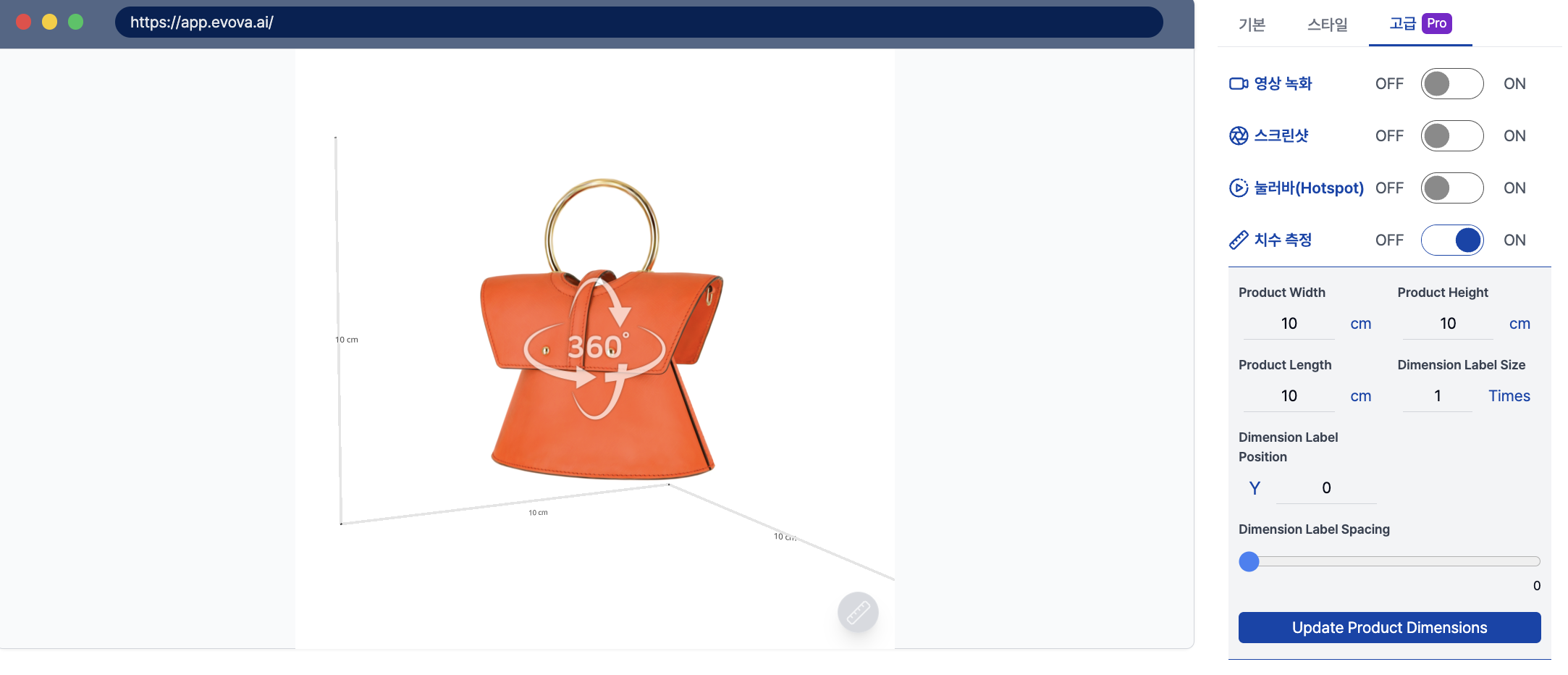 Image 5. Dimension Measurement Settings Window
4. Notes When Finishing
- If you no longer want to display dimensions while using the 3D Showroom, please deactivate the
Dimension Measurementfeature.
Closing
Adding Dimensions to E-commerce
EVOVA is always here to help make your brand experience more stable and special.
If you have any questions, please feel free to contact our support team.
Email: info@metown.co.kr
Phone: 010-6650-6300